W2A Features: Flexible WooCommerce to Attio Integration
Features
Everything you need for a smooth and powerful WooCommerce Attio integration

- Custom variable
- Customizable Attribute Values
- Custom variable
- Customizable Attribute Values

Personalized integration with your Attio setup
Load your Attio environment for a fully customized integration experience
Load many options in W2A from Attio


Load many options in W2A from Attio
W2A delivers a fully customizable integration experience, perfectly tailored to your Attio environment.
Load your records, custom attributes, Attio workspace members, and many other elements of your setup with a single click. Effortlessly map WooCommerce data to your Attio attributes.
Synchronize list statuses, user assignments, and any other settings needed to seamlessly align Attio with your WooCommerce workflow, giving you total control over your data.
WooCommerce Hooks Integration
Trigger and configure various user actions to send data to Attio
Fired when a cart is abandoned (only if the customer is logged in).
Fired after a user logs in.
Triggered after a new user registration.
Fired after a user is updated.
Fired when a new order is created.
Fired when an order is updated.
Fired when an order is placed on hold.
Fired when an order is awaiting payment (pending).
We are continuously adding new hooks to enhance the synchronization of your data.
Take advantage of WooCommerce hooks to trigger data transfers based on specific user or order actions.
From user registration, cart updates, and new orders to changes in order status, W2A ensures your Attio records stay up-to-date in real time.
With continuous updates, more hooks are added to further enhance your integration flexibility.
Never miss a sales opportunity
Turn WooCommerce events into actionable Attio tasks
You can choose to automatically create an Attio task whenever a hook event is triggered, making it easier for your sales team to follow up at the right time.
Example: when a cart is abandoned, automatically schedule a follow-up call so your team can recover the sale.
Tasks are automatically linked to the related people, company, and deal that triggered the event.
Customizable Attribute Values
Easily customize attribute values for precise data mapping to Attio
W2A allows you to customize attribute values for precise and efficient data mapping to Attio.
Use predefined WooCommerce variables like billing names, emails, and shipping details, or use your own custom website meta data.
Add fallback values and use conditional settings to ensure your data syncs perfectly, even when some variables are missing.
And many more...

Edit any Attio field
Define custom field values for Attio based on the customer account
Define fallback values if customer variables are invalid or missing
Access to Historical Sync
Access past syncs to verify data integrity and adjust settings
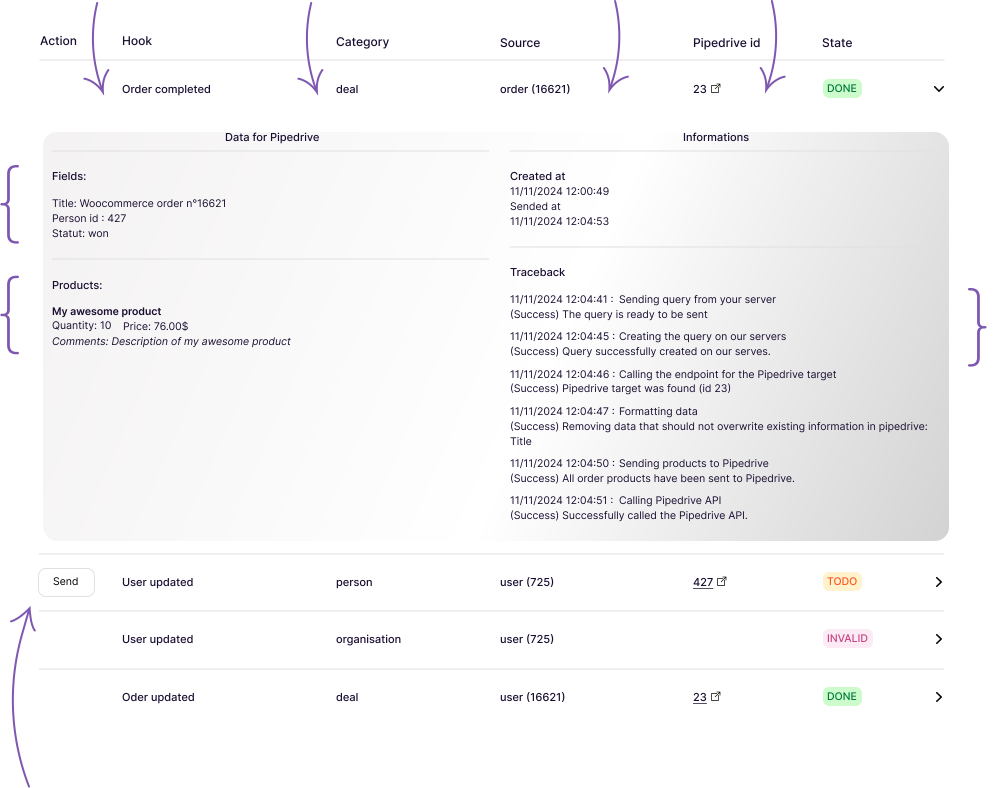
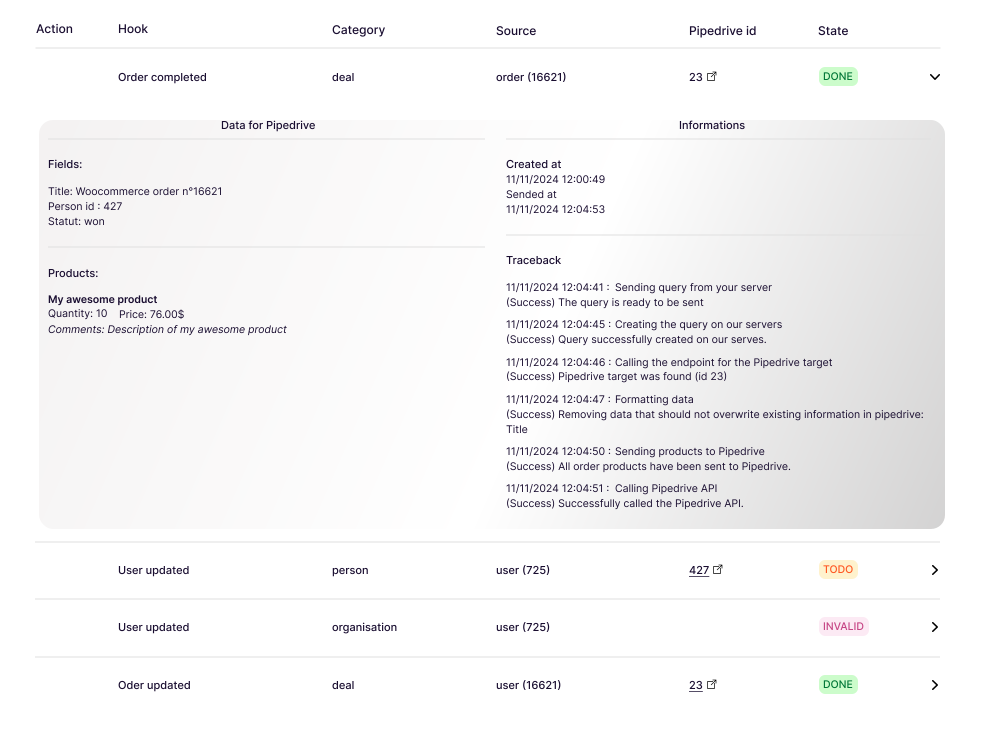
Consult every event triggered on your website, their Attio object type (record, company, person), source (user, order), and Attio target record ID.
Review the data sent to Attio attributes and view the products added to Attio records.
Use the traceback feature to review all interactions with Attio in detail, based on your parameters.
Easily review past sync data to verify accuracy and adjust your settings.
W2A provides detailed logs of every event, including its source (order, user) and Attio target (record, company, or person).
Use the traceback feature to audit interactions and syncs, and manually trigger updates for immediate results.
Choose the right plan for you
Flexible plans to fit your business needs and budget
Have any questions? We're here to help